Difference between revisions of "Unimag Reader Doesn't Read Swipe"
| (2 intermediate revisions by one other user not shown) | |||
| Line 10: | Line 10: | ||
</gallery> | </gallery> | ||
| − | If you are able to get a successful swipe in this app then the reader is communicating properly. Force close any open applications you have by double tapping the home button and then swiping up on the application window | + | |
| + | If you are able to get a successful swipe in this app then the reader is communicating properly. Force close any open applications you have by double tapping the home button and then swiping up on the application window. When all of your applications have closed, launch the QuickSale application again and try to swipe the card again. | ||
| + | |||
| + | |||
| + | [[File:Force Close ios.PNG|thumb|left|200px|Swipe up on the application to force close it]] | ||
Latest revision as of 10:32, 26 January 2018
If you are experiencing issues swiping with the Unimag Audio Jack Reader you can download a tool from the manufacturer to troubleshoot the connection

1. In your app store search for Unimag
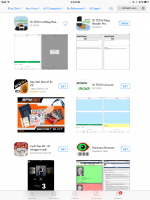
2. Download and Install the ID Tech UniMag Reader
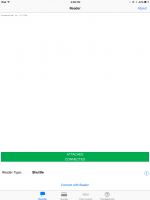
3. Connect the reader and launch the application.
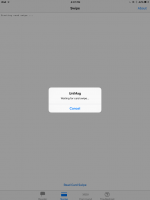
4. Press Read Card Swipe and swipe a card through the reader
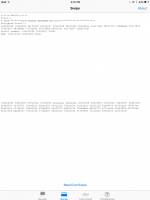
5. If the card is read successfully the card information will be printed on the screen


If you are able to get a successful swipe in this app then the reader is communicating properly. Force close any open applications you have by double tapping the home button and then swiping up on the application window. When all of your applications have closed, launch the QuickSale application again and try to swipe the card again.

