Difference between revisions of "Transaction Manager - FraudAlerts"
From KB
| Line 1: | Line 1: | ||
Each field can be set to create an Alert or Block additional transactions from being run | Each field can be set to create an Alert or Block additional transactions from being run | ||
| − | *'''Hourly | + | *'''Hourly Velocity:''' Set the max number of transactions you want the selected device to allow per hour '' |
| − | *'''Hourly IP | + | *'''Hourly IP Velocity:''' Set the max number of transactions you want the selected device to allow per hour for an authorized IP Address |
| − | *'''Daily | + | *'''Daily Velocity:''' Set the max number of transactions you want the selected device to allow per day '' |
*'''Dollar Amount Limits''' Set the min/max sale amount | *'''Dollar Amount Limits''' Set the min/max sale amount | ||
*'''Authorized IP List''' Set IP Addresses that will be allowed to process transactions | *'''Authorized IP List''' Set IP Addresses that will be allowed to process transactions | ||
Latest revision as of 15:29, 4 June 2019
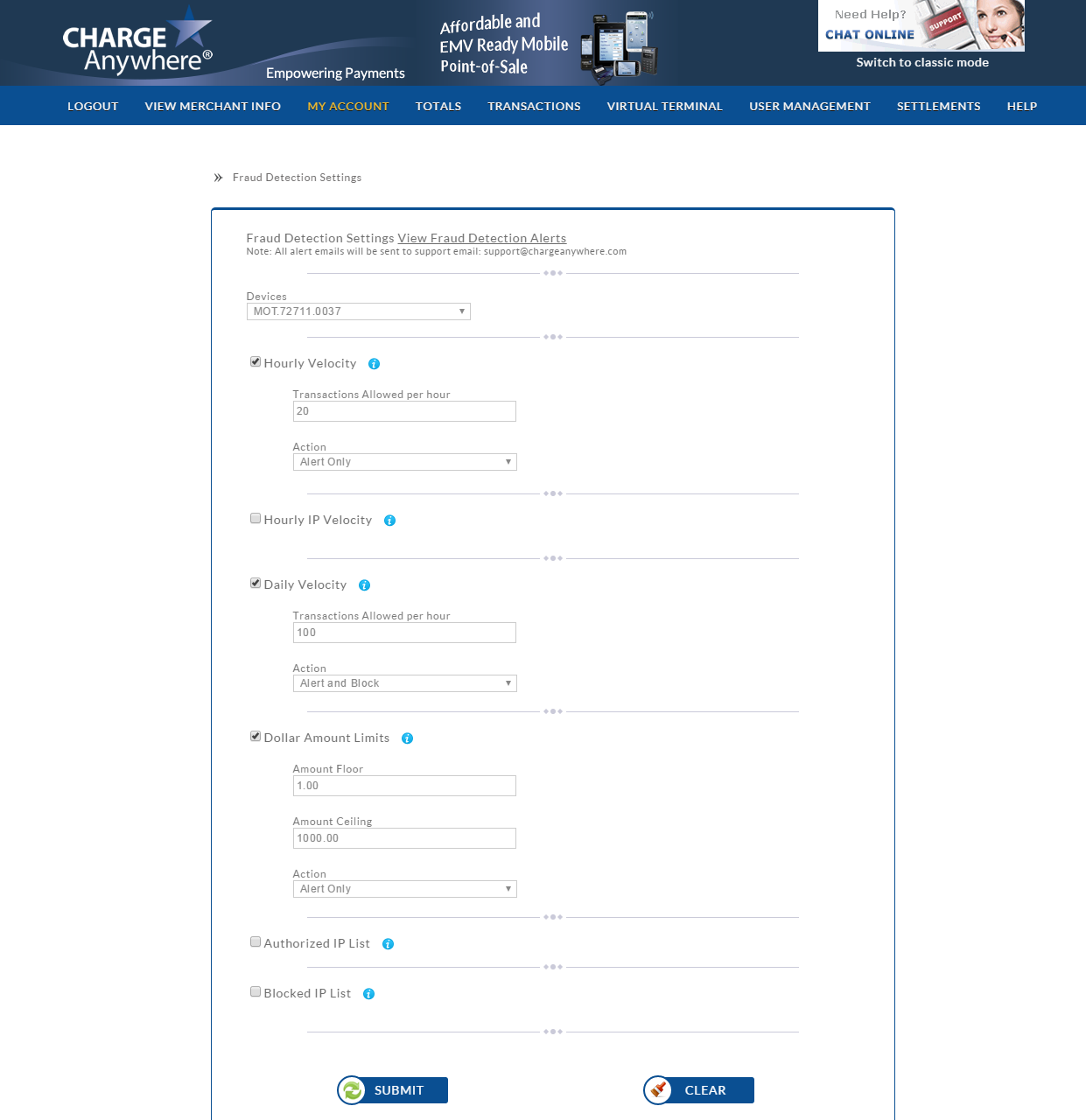
Each field can be set to create an Alert or Block additional transactions from being run
- Hourly Velocity: Set the max number of transactions you want the selected device to allow per hour
- Hourly IP Velocity: Set the max number of transactions you want the selected device to allow per hour for an authorized IP Address
- Daily Velocity: Set the max number of transactions you want the selected device to allow per day
- Dollar Amount Limits Set the min/max sale amount
- Authorized IP List Set IP Addresses that will be allowed to process transactions
- Blocked IP List Set IP Addresses that will be prohibited from processing transactions