Difference between revisions of "Apple iOS"
(→Swipe Card for QuickSale) |
(→Swipe Card for QuickSale) |
||
| Line 31: | Line 31: | ||
[[File:IOShome.PNG|thumb|right|100px|[http://kb.chargeanywhere.com/index.php/IOS_QuickSale '''Swipe Card for QuickSale''']]] | [[File:IOShome.PNG|thumb|right|100px|[http://kb.chargeanywhere.com/index.php/IOS_QuickSale '''Swipe Card for QuickSale''']]] | ||
| − | If you have a card reader configured, a QuickSale (credit card sale) can be initiated from the home screen by swiping a credit card. For help setting up a peripheral card reader, see [[Peripheral Help]]. | + | If you have a card reader configured, a QuickSale(credit card sale) can be initiated from the home screen by swiping a credit card. For help setting up a peripheral card reader, see [[Peripheral Help]]. |
Revision as of 18:02, 24 July 2012

Overview
iOS Check iOS Credit iOS Gift/Loyalty iOS ACH/eCheck
Getting Started
1. Download the CHARGE Anywhere Payment App from the Apple App Store.
- Go to the App Store from your phone/tablet and search for CHARGE Anywhere.
2. Enter the Software License Key and Phone Number provided in your CHARGE Anywhere Welcome Email or Text Message.
3. Create a password and sign in with the default username, Owner
4. To configure a peripheral card reader and/or printer, see Peripheral Help.
Swipe Card for QuickSale
If you have a card reader configured, a QuickSale(credit card sale) can be initiated from the home screen by swiping a credit card. For help setting up a peripheral card reader, see Peripheral Help.
Click Here for screenshots of the entire QuickSale process.
Transactions
The Transactions menu will display a list of all tender types. Click the link below the screenshot of a tender type for more details.
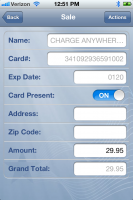
Credit
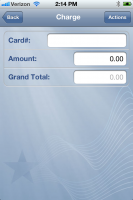
Gift/Loyalty
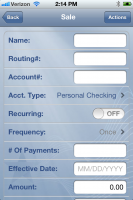
ACH/eCheck


Reports
Reports will provide real time totals of transactions run within your Mobile Payment App today. Click Report Options to narrow your results by transaction type, card type, report type, and Clerk #.
