Transaction Manager - MerchantProfile
From KB
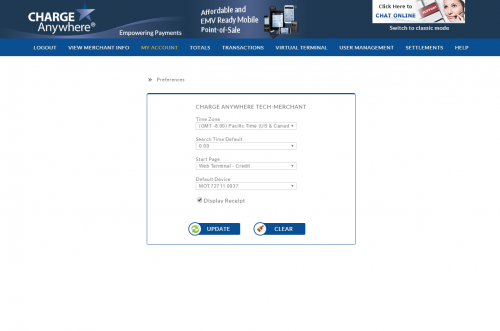
- Time Zone: Select your time zone so transaction records reflect your time. (GMT -5:00) Eastern Time is the default time zone.
- Search Time Default: Search criteria will default to 0:00 Military Time. This means that the search will default to the beginning of each day. Select any half hour increment to have the search default to another time.
- Start Page: By default, users will be taken to the Search Transactions page upon log in. To change this, select another start page.
- Default Device: If you have multiple devices on your account, the default device will be automatically selected when processing transactions.
- Display Receipt: Check this box to have receipts display on the screen after an approved transaction.