Difference between revisions of "CA for QB Setup Wizard"
(→Setup Wizard) |
|||
| Line 6: | Line 6: | ||
The Setup Wizard will ask you a series of questions in order to operate in your company file. Click the link below a sreen for more information. | The Setup Wizard will ask you a series of questions in order to operate in your company file. Click the link below a sreen for more information. | ||
| − | <gallery widths= | + | <gallery widths=200px heights=200px> |
File:QBwizard1.png| [[Payment Application Registration]] | File:QBwizard1.png| [[Payment Application Registration]] | ||
File:QBwizard2.png| [[Enter your company information]] | File:QBwizard2.png| [[Enter your company information]] | ||
Revision as of 12:31, 30 August 2012

Application Certificate
After installation completes, log into your QuickBooks company file as the admin user. If this is the first computer to be installed, a certificate will appear requesting to give CHARGE Anywhere access to your company file. Select the options that read, Yes, whenever this QuickBooks file is open" and "Allow this application to access personal data such as Social Security Numbers and customer credit card information." Click Continue and then click Done on the confirmation screen.
Setup Wizard
The Setup Wizard will ask you a series of questions in order to operate in your company file. Click the link below a sreen for more information.
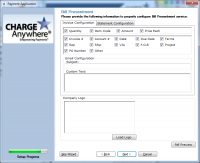
Bill Presentment (Only visible if Bill Presentment service active on your gateway account
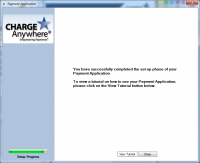
End of Setup Wizard. View Tutorial or click Close to begin Processing Transactions.


