Difference between revisions of "Confirm Your Identity"
| (12 intermediate revisions by the same user not shown) | |||
| Line 1: | Line 1: | ||
| − | To better serve and protect our customers, a new user will need to undergo a quick security procedure. This security procedure also applies if an existing user logs into Transaction Manager from a new computer for the first time. | + | '''To better serve and protect our customers''', a new user will need to undergo a quick security procedure. This security procedure also applies if an existing user logs into Transaction Manager from a new computer for the first time. |
| − | <gallery widths=150px heights= | + | <gallery widths=150px heights=150px perrow=5> |
| − | File: | + | File:ConfirmIdentity.PNG| '''1.''' Click Next |
| − | File: | + | File:GetSecurityCode.PNG| '''2.''' Click Get Security Code to have a security code emailed to you. |
| − | File: | + | File:EnterSecurityCode.PNG| '''3.''' Enter the Security Code that was emailed to you. Click next. |
| − | File:SecurityProfile. | + | File:SecurityProfile.PNG| '''4.''' Complete your security profile and press submit. |
| − | File: | + | File:Complete.PNG| '''5.''' Return to Home Screen. Log into Transaction Manager. |
</gallery> | </gallery> | ||
| + | |||
| + | |||
| + | <center><u>'''Additional Notes'''</u></center> | ||
| + | |||
| + | '''2. Get Security Code''' - A Security Code provides further protection because it can only be obtained through the email address on file, your merchant service provider, or a CHARGE Anywhere Customer Support Rep. | ||
| + | *Do not click Get Security Code more than once. Only one security code is valid at a time. Therefore, clicking Get Security Code more than once will invalidate the first Security Code sent. | ||
| + | *A Security Code will expire in 15 minutes. | ||
| + | *A Security Code can only be used once. | ||
| + | |||
| + | |||
| + | '''4. Security Profile''' - The Security Profile will be used to verify your identity if you forget your password. | ||
| + | |||
| + | |||
| + | <div align="right">[http://kb.chargeanywhere.com/index.php/Transaction_Manager '''Back to Transaction Manager Help''']</div> | ||
Latest revision as of 09:59, 9 July 2014
To better serve and protect our customers, a new user will need to undergo a quick security procedure. This security procedure also applies if an existing user logs into Transaction Manager from a new computer for the first time.

1. Click Next
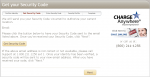
2. Click Get Security Code to have a security code emailed to you.
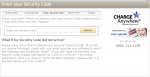
3. Enter the Security Code that was emailed to you. Click next.

4. Complete your security profile and press submit.
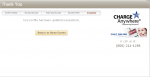
5. Return to Home Screen. Log into Transaction Manager.


2. Get Security Code - A Security Code provides further protection because it can only be obtained through the email address on file, your merchant service provider, or a CHARGE Anywhere Customer Support Rep.
- Do not click Get Security Code more than once. Only one security code is valid at a time. Therefore, clicking Get Security Code more than once will invalidate the first Security Code sent.
- A Security Code will expire in 15 minutes.
- A Security Code can only be used once.
4. Security Profile - The Security Profile will be used to verify your identity if you forget your password.
